You finally bought that new laptop, soundbar, or gaming console. Then it stops working three months in—no obvious cause, just a blank screen or a grinding noise. Filing a warranty claim shouldn’t feel like a second job, but most manufacturers make you put your complaint in writing first. The blank page stares back. What do you say? How formal should you be? A well-written letter is often the difference between a quick replacement and weeks of back-and-forth.
Why using a letter sample is not cheating
Professional correspondence follows unwritten rules. Business letter format, salutation and closing, tone in writing—each choice signals whether you’re a credible customer or someone easy to ignore. A good letter template gives you the structure without forcing you to invent everything from scratch. You keep your own voice while borrowing the framework that actually works. It’s smart, not lazy.
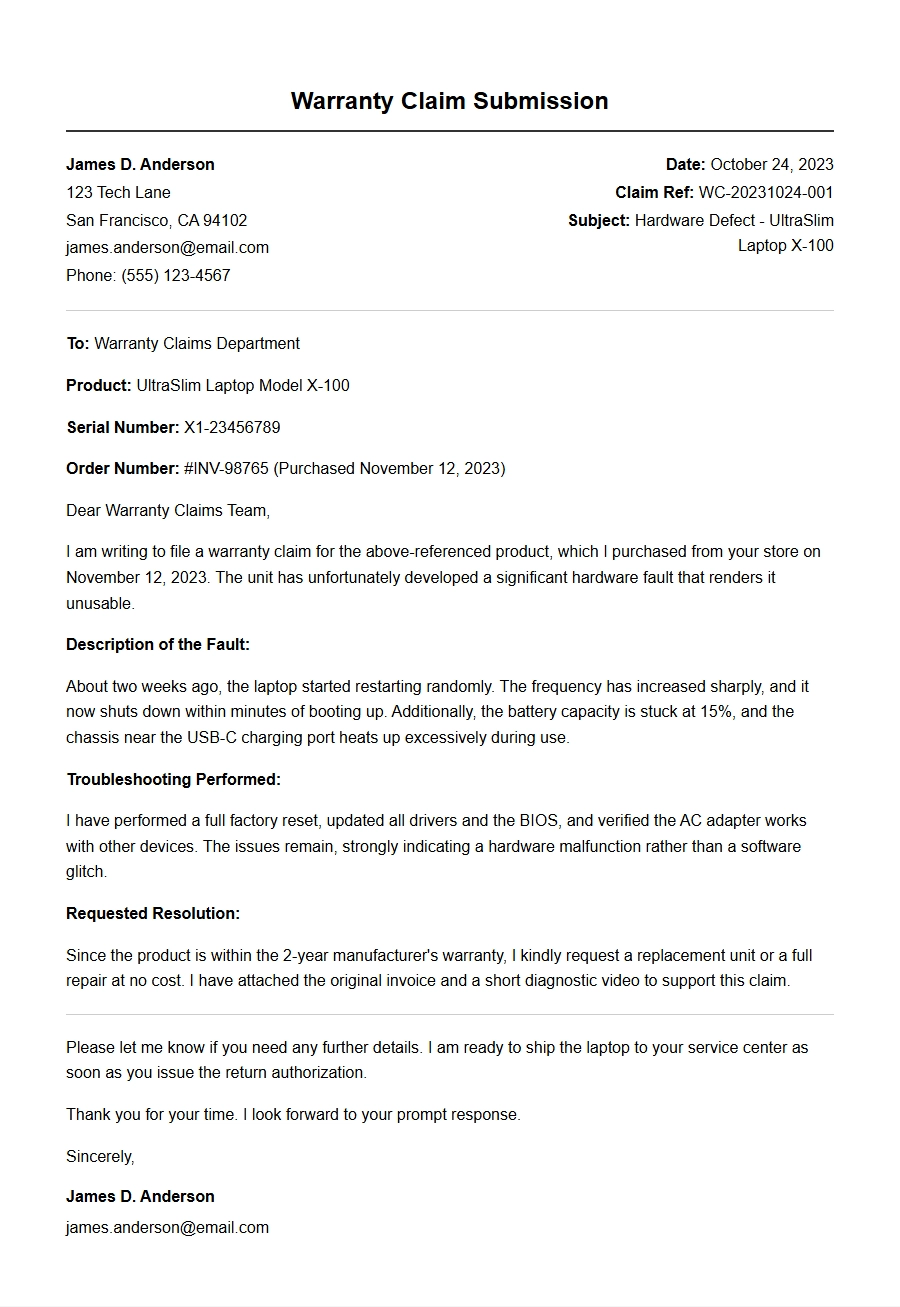
A strong warranty letter should include your product model, purchase date, a clear description of the fault, and what you want (repair, replacement, or refund). That’s it. The sample keeps you from forgetting the critical details while you focus on explaining the problem clearly.
Category: Warranty Claim Letters
How to choose the right sample for your situation
Not all warranty claims are the same. A dead laptop might need a different tone than a dishwasher that leaks. If you’re writing to a small retailer, a semi-formal tone works. For a large electronics brand, stick closer to standard business letter format. Look for a sample that matches your product type and the company’s size.
You’ll also want to check whether the company prefers email or postal mail. Digital letter format often means a shorter subject line and a direct opening. Printed letters typically need letterhead design or your contact block at the top. If the warranty terms mention a specific department, address it there.
Adapting a sample without losing your authenticity
Ever received a letter that felt too stiff or too casual? That happens when someone copies a template word-for-word. Instead, read the sample once, then write your version from memory. Use the sample’s structure—opening, problem description, request, closing—but fill in your own words. If you speak plainly, write plainly. If you tend to be more detailed, that’s fine too. Just keep the paragraphs short and the facts front and center.
A quick tip: tailor your opening paragraph to grab attention. Start with the purchase date and product name, then immediately state the issue. Don’t bury the problem under pleasantries. Companies process hundreds of these letters. Yours should put the fault in the first three sentences.
Common mistakes that slow down your claim
Using outdated salutations like To Whom It May Concern when a name is available. Ignoring formatting differences between email and printed letters. Forgetting to attach proof of purchase or serial numbers. These small errors force the company to reply asking for more info, which drags out the process.
Proofreading letter is worth the extra two minutes. A typo in your model number or a missing date can delay everything. Read it aloud, or have someone glance at it. You’re not submitting a novel—just a clean, clear request.
Real example before and after
Before: I bought a speaker from your store and it doesn’t work right. Please help.
After: I purchased the SoundMax X200 (serial SMX200-7843) on March 12 from your website. The Bluetooth disconnects every 10 minutes, even after factory reset. Please repair or replace it under the one-year warranty.
Which one gets answered faster? The second one. The sample taught the writer to include the specific fault and the desired outcome.
Using letter writing etiquette to your advantage
Formal writing tips often emphasize politeness, but in warranty letters, clarity matters more than politeness. Be courteous, yes, but direct. State what you expect. Companies respond faster when they know exactly what you want.
A letter sample is a starting point, not a final draft. The best warranty letters feel both professional and personal. They show you know what you’re talking about without sounding like a lawyer. Write one decent letter now, and the next time something fails, you’ll have your own template ready to go. That’s the real win.
Subject: Claim for Warranty Coverage – Defective TV Screen
To: Customer Support Department, TechVision Electronics
From: David Chen Order #: ORD-7843-ZX Purchase Date: January 15, 2024
I purchased a TechVision 55-inch 4K Ultra HD TV (Model: TV-55UHD, Serial: TV55X2023A0042) from your authorized retailer on January 15, 2024. The product is still within the 24-month manufacturer warranty (warranty valid until January 15, 2026).
Recently, a vertical line of dead pixels appeared on the left side of the screen, and the backlight flickers intermittently. This issue renders the TV unwatchable and is clearly a manufacturing defect, not caused by any mishandling.
I am requesting a replacement unit or repair at no cost under the warranty terms. Please find below the relevant details:
Item
Details
Product
TechVision 55-inch 4K UHD TV
Model
TV-55UHD
Serial #
TV55X2023A0042
Purchase Date
Jan 15, 2024
Warranty Expiry
Jan 15, 2026
Issue
Dead pixel line + flickering backlight
I have attached the original receipt and a short video demonstrating the fault. Kindly advise on the next steps for warranty service. I can be reached at david.chen@email.com or (555) 123-4567.
Thank you for your prompt assistance.
Laptop Overheating and Shutdown – Warranty Claim
Subject: Claim for Warranty Repair – Laptop Overheating Issue
To: Warranty Services, Computron Inc.
From: Maria Lopez Purchase Order: PO-22098 Date of Purchase: March 10, 2023
I am writing to request warranty coverage for my Computron ProBook 15 (Model: PB-1500, Serial: CPB1500X7821). The laptop was bought new on March 10, 2023, and is covered by a 3-year limited warranty (valid through March 9, 2026).
Starting last week, the system randomly overheats and shuts down after 15-20 minutes of use, even under light workloads. The fan runs loudly but seems ineffective. I have already tried cleaning the vents and updating drivers, but the problem persists. This appears to be a hardware defect related to the thermal module.
Per the warranty terms, I request an on-site repair or replacement of the faulty cooling assembly at no charge. Below is a summary of my claim:
Detail
Information
Product
Computron ProBook 15
Model #
PB-1500
Serial #
CPB1500X7821
Purchase Date
Mar 10, 2023
Warranty End
Mar 9, 2026
Issue
Overheating, fan noise, shutdown
Please let me know how to proceed. I would prefer a service technician visit if available. You can contact me at maria.lopez@example.com or (555) 987-6543.
Thank you for your support.
Smartphone Battery Swelling – Warranty Request
Subject: Claim for Warranty – Swollen Battery in Smartphone
To: Customer Care, MobileTech Co.
From: James Okafor Order ID: MT-984-2023-12AB Purchase Date: December 5, 2023
I am submitting a warranty claim for my MobileTech Zest 5G (Model: Z5G-128, IMEI: 352656109876543). The phone is barely 4 months old and is protected by the standard 1-year manufacturer warranty.
Yesterday, I noticed the back cover bulging and the screen lifting slightly. Upon inspection, the battery appears to have swollen. This is a serious safety hazard. The phone has never been dropped, exposed to water, or charged with non-certified accessories.
I request an immediate replacement of the battery and, if needed, the entire device, covered under warranty. I also ask that you provide a prepaid shipping label for returning the defective unit. Below are the details:
Product: MobileTech Zest 5G (Night Black)
IMEI: 352656109876543
Purchased from: MobileTech Online Store
Issue: Swollen battery – physical distortion and screen separation
I have attached photos of the damage. Please prioritize this as a safety issue. My contact: james.okafor@email.com | (555) 234-5678.
I look forward to your prompt action.
Gaming Console Won't Power On – Warranty Claim
Subject: Warranty Claim – Xbox Series X Not Powering On
To: GameWave Support
From: Alex Rivera Purchase Date: August 20, 2023 Invoice: GW-INV-2023-4471
I request warranty service for my GameWave X-Series Console (Model: X-SERIES-1TB, Serial: GX10293847). It was purchased new on August 20, 2023, and is within the 1-year manufacturer warranty (expires August 20, 2024).
Two days ago, the console suddenly shut down while playing a game and now refuses to turn on at all. No lights, no fan, no response to the power button. I've tested the power cord and outlet – they work fine. This indicates an internal hardware failure.
I am requesting a replacement console or repair under warranty. I also expect shipping costs to be covered by the warranty. Please find my details:
Information
Value
Device
GameWave X-Series (White)
Serial No.
GX10293847
Purchase Date
Aug 20, 2023
Warranty Ends
Aug 20, 2024
Problem
Does not power on
I have the original box, receipt, and the console in its original condition. Kindly provide an RMA number and instructions for sending the unit. You can reach me at alex.r@email.com or (555) 345-6789.
Thank you for your assistance.
Wireless Headphones Static Noise Under Warranty
Subject: Claim for Defective Wireless Headphones – Static Noise
To: SoundPro Customer Service
From: Emma Wilson Order Ref: SP-ONLINE-8765 Bought: November 10, 2023
I am writing to claim warranty coverage for my SoundPro ProBuds X2 (Model: SP-X2, Serial: SPX2-22B-4789). These headphones were purchased on November 10, 2023, and are under a 2-year limited warranty.
After about three months of normal use, the left earbud emits a constant static/hissing noise, even when no audio is playing. The issue persists after resetting and re-pairing. This is clearly a defect in the driver or circuitry.
I request a replacement pair under warranty. Please also confirm if you require the defective unit to be returned. Below is a quick overview:
Product: SoundPro ProBuds X2 (Black)
Serial: SPX2-22B-4789
Purchase: Nov 10, 2023 from SoundPro Store
Issue: Left earbud static noise
I have kept the original packaging and receipt. Should you need a video demonstration, I can provide it. My email: emma.wlsn@mail.com | Phone: (555) 456-7890.
I hope for a swift resolution. Thank you.
Printer Paper Jam Error – Warranty Service Needed
Subject: Claim for Printer Warranty – Persistent Paper Jam Error
To: OfficePrint Support
From: Robert Kim Invoice: INV-2023-OP-4409 Purchase Date: September 5, 2023
I am requesting warranty coverage for my OfficePrint LaserJet 3000 (Model: LJ3000, Serial: OPLJ3000-5678). It was purchased on September 5, 2023, and is protected by a 1-year on-site warranty.
The printer repeatedly displays a “paper jam” error, even after clearing the paper path multiple times. No jam exists. I have inspected rollers and sensors – they appear clean. This suggests a defective sensor or control board.
Under warranty, I request an on-site technician visit to diagnose and repair the issue. Below are the relevant details:
Item
Details
Product
OfficePrint LaserJet 3000
Model
LJ3000
Serial
OPLJ3000-5678
Purchase
Sep 5, 2023
Warranty End
Sep 5, 2024
Problem
False paper jam error
Please schedule a visit at your earliest convenience. I am available weekdays 9 AM–5 PM. Contact: robert.kim@office.com or (555) 567-8901.
From: Sarah Johnson Order #: WT-2024-1314 Purchase Date: February 14, 2024
I am claiming warranty for my WearTech Active Pro Watch (Model: WT-AP-42, Serial: WTAP42A-2024-0815). The watch was bought on February 14, 2024, and carries a 2-year warranty.
Last week, the touch screen became partially unresponsive (top third of the display). The touch does not register taps or swipes. A factory reset did not solve the problem. This appears to be a hardware defect in the digitizer.
I request a replacement smartwatch under warranty. I also ask for a prepaid return label for the defective unit. Here are the details:
Product: WearTech Active Pro (Graphite)
Serial: WTAP42A-2024-0815
Purchase: Feb 14, 2024 via WearTech online
Issue: Touchscreen unresponsive in top area
I have attached a screenshot showing the dead zone. Please advise the RMA process. Best way to reach me: sarah.j@email.com | (555) 678-9012.
Subject: Claim for Refrigerator Warranty – Compressor Not Cooling
To: ChillHome Appliances Warranty Department
From: Michael Brown Invoice: CH-2023-8852 Purchase Date: June 1, 2023
I am filing a warranty claim for my ChillHome 4-Door French Door Refrigerator (Model: CH-FR720, Serial: FR720-2023-1102). It is still under the 5-year sealed system warranty (compressor and parts).
Since yesterday, the refrigerator stopped cooling. The freezer is cold, but the fridge compartment is at room temperature. The compressor is running but seems hot and cycles oddly. This is a major defect that makes the unit unusable.
Per the warranty, I request repair or replacement of the compressor at no cost. Please include labor and refrigerant if needed. My details:
Field
Information
Appliance
ChillHome French Door Refrigerator
Model
CH-FR720
Serial #
FR720-2023-1102
Purchase
Jun 1, 2023
Warranty
5-year sealed system (to Jun 2028)
Issue
Compressor not cooling fridge compartment
This is urgent as food is spoiling. I request a service appointment within 48 hours. Contact: m.brown@email.com or (555) 789-0123.
Thank you for your urgent attention.
Digital Camera Lens Error – Warranty Repair
Subject: Warranty Claim – Camera Lens Error “Lens Not Detected”
To: PhotoMax Support
From: Linda Garcia Order ID: PM-ONLINE-44678 Purchase Date: April 22, 2023
I am requesting warranty service for my PhotoMax Snapshot Pro 200 (Model: SP200, Serial: SP200-23-7841). It was purchased on April 22, 2023, and is covered by a 1-year manufacturer warranty (expires April 22, 2024).
Yesterday, while taking photos, the camera displayed “Lens Not Detected” and refused to extend the lens. The lens barrel seems stuck. I have not dropped or mishandled the camera. This is a mechanical/electrical defect.
I request a warranty repair or if necessary, a replacement. Please provide a prepaid shipping label. Details:
Product: PhotoMax Snapshot Pro 200 (Silver)
Serial: SP200-23-7841
Purchase: Apr 22, 2023 from PhotoMax Store
Issue: Lens error, cannot extend
I have attached a short video. Contact: linda.garcia@photography.com | (555) 890-1234.
I look forward to your instructions.
Tablet Charging Port Broken – Warranty Claim
Subject: Claim for Tablet Warranty – Faulty Charging Port
To: TabTech Customer Service
From: Ethan Lee Invoice: TT-2023-7159 Purchase Date: July 8, 2023
I am submitting a warranty claim for my TabTech Pro 11 (Model: TP-11-WiFi, Serial: TP11W2023-3456). It is within the 1-year standard warranty (until July 8, 2024).
Recently, the USB-C charging port stopped holding the cable securely. It requires constant pressure to maintain a charge, and sometimes it does not charge at all. I've tried multiple cables – same issue. This indicates a defective port solder or connector.
I request a warranty repair of the charging port or, if needed, a replacement tablet. Please advise how to proceed. Here are the key facts:
Detail
Value
Device
TabTech Pro 11 (Space Gray)
Serial #
TP11W2023-3456
Purchase
Jul 8, 2023
Warranty End
Jul 8, 2024
Issue
USB-C port loose, intermittent charging
I have the original box and receipt. I can ship the tablet if needed. Please reply with an RMA number and shipping instructions. My email: ethan.lee@techuser.com | Phone: (555) 901-2345.
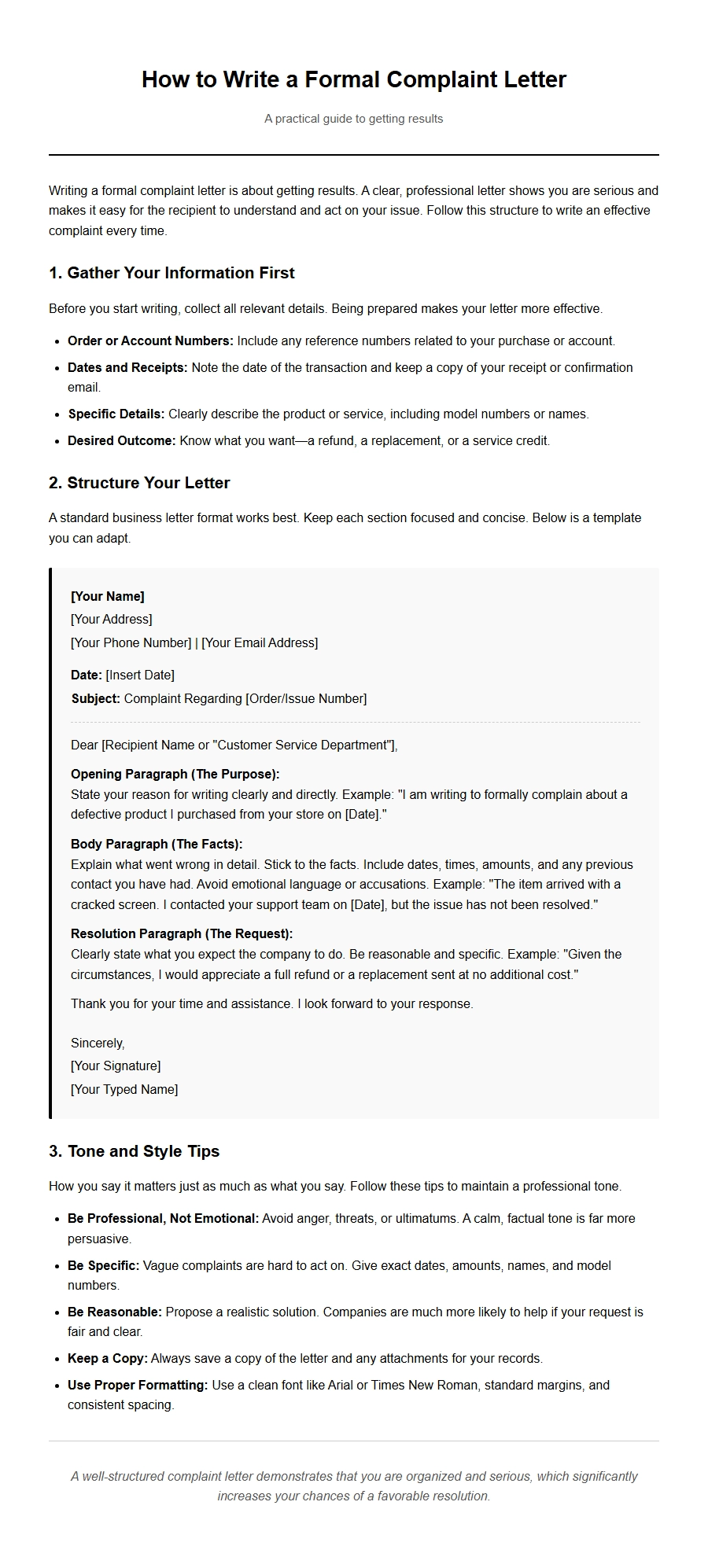 How to Write a Formal Complaint Letter
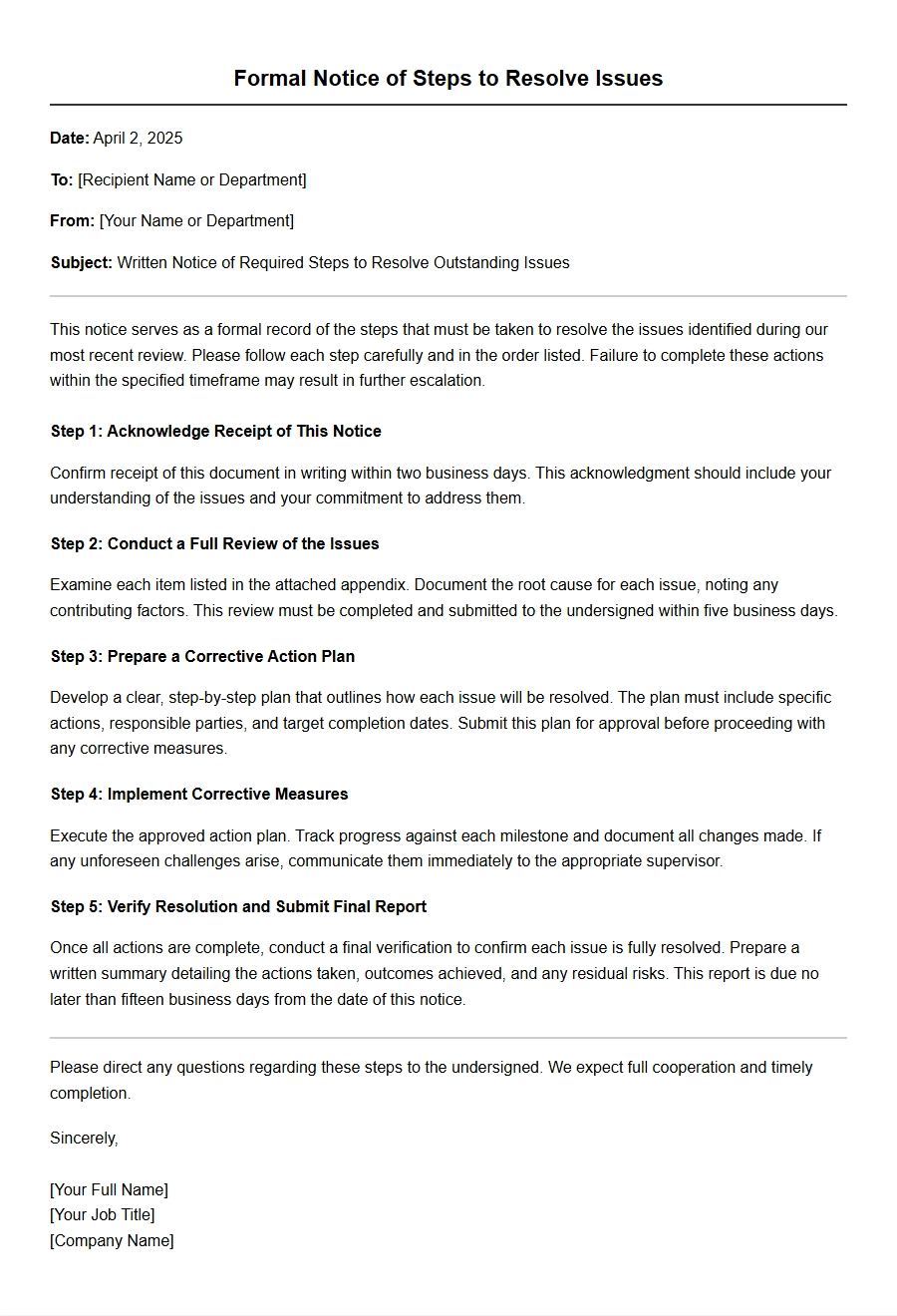 Steps to Resolve Issues via Written Notice
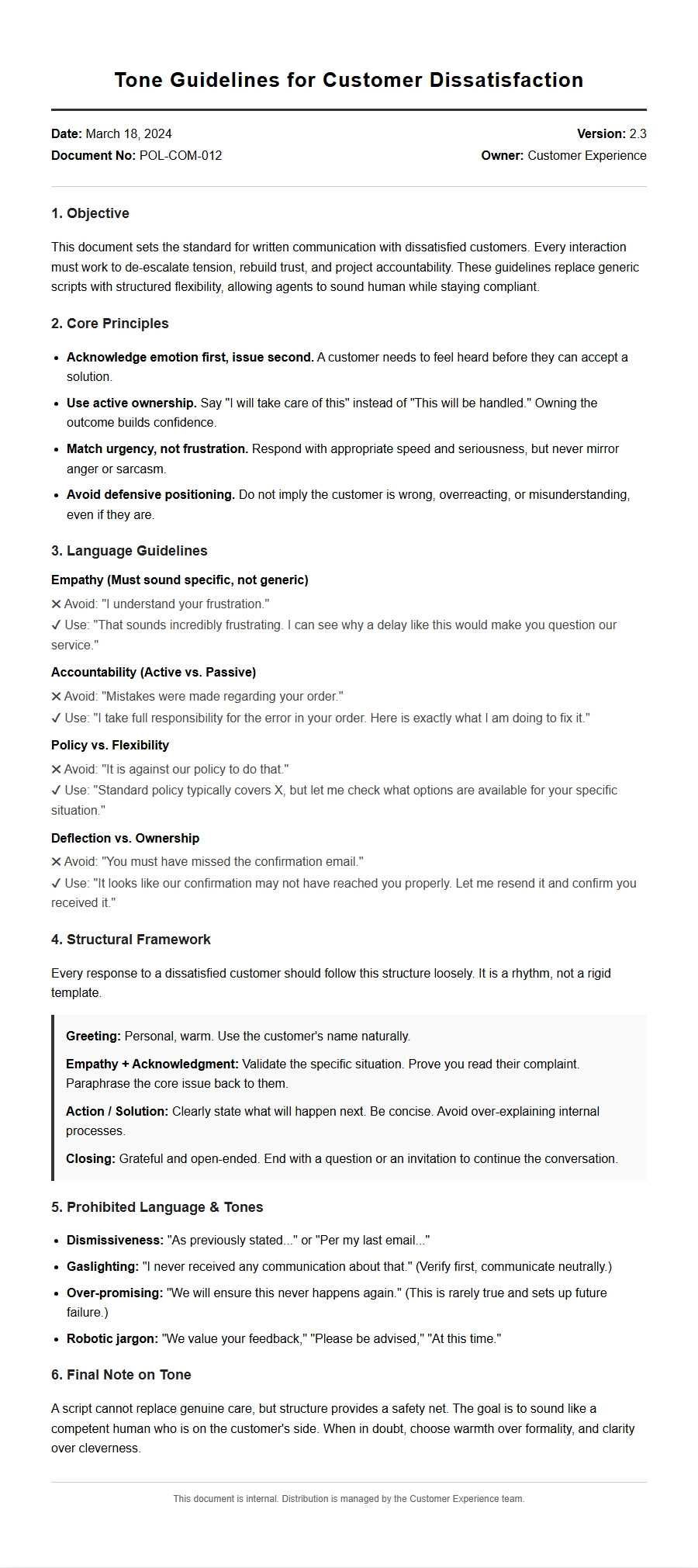 Tone Guidelines for Dissatisfied Customer Letters
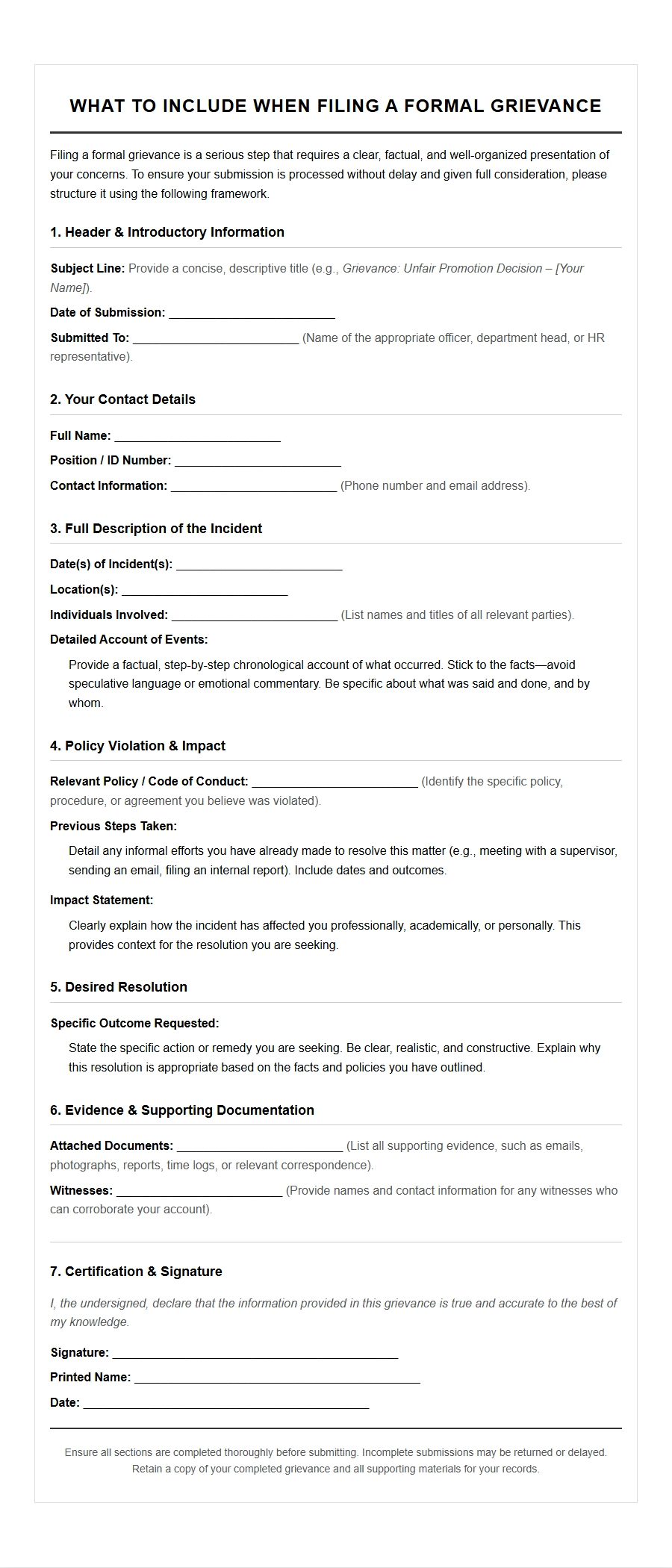 What to Include in a Formal Grievance Letter
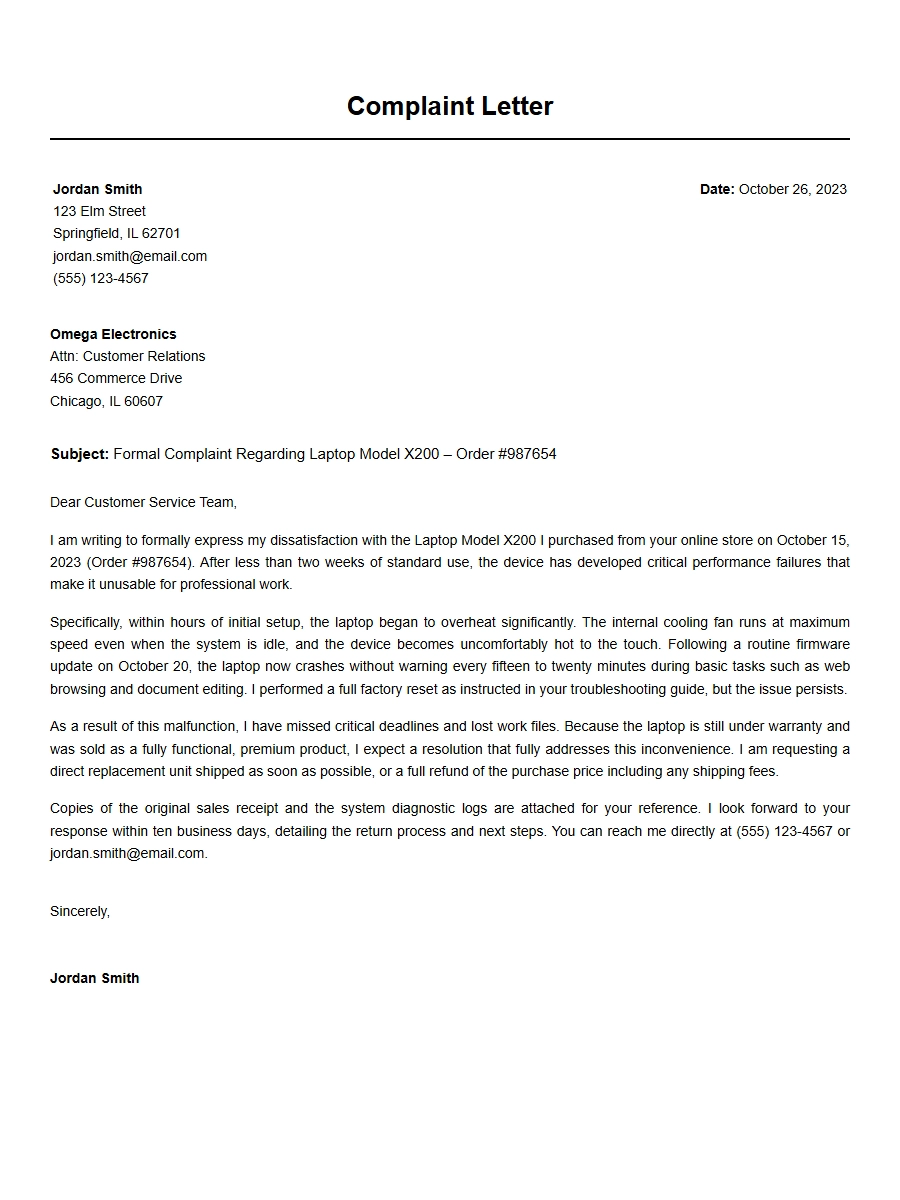 Structure of an Effective Complaint Letter
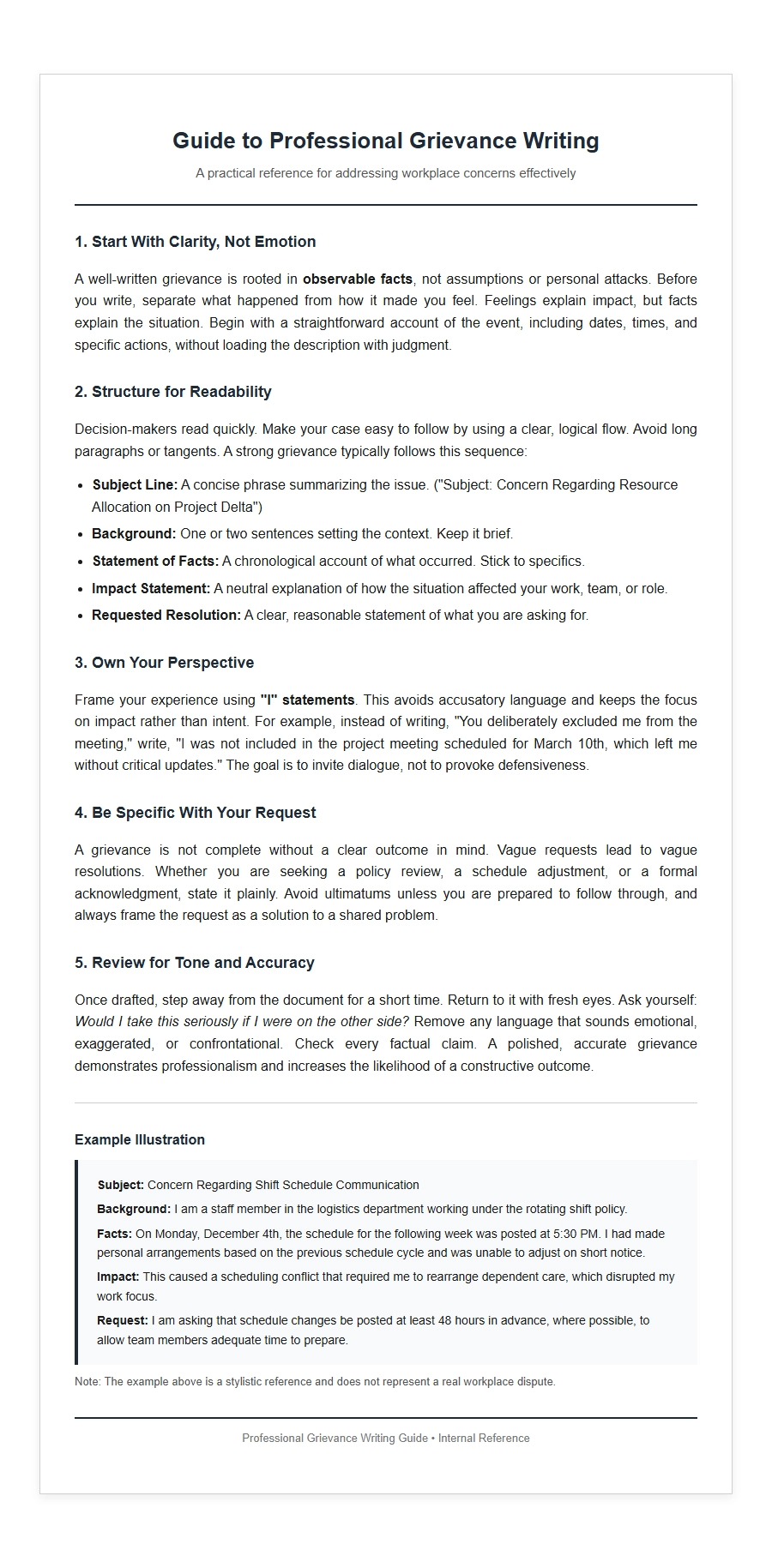 Best Practices for Writing Professional Grievance Letters