You bought a ticket, arrived early, and then the scanner says “invalid.” Or worse, the gate agent tells you your pass was already used. That sinking feeling is real. It’s frustrating, and it can ruin the start of an event you’ve been looking forward to. Writing a complaint letter to dispute the ticketing error is the quickest path to a refund or a replacement. But when you’re already annoyed, staring at a blank page makes it worse. That’s where a good sample letter steps in.
Using a sample isn’t cheating. It’s smart. A letter template gives you the business letter format, the right salutation and closing, and a professional tone from the start. You keep your own voice, but you don’t waste time re‑inventing the structure. The sample acts like a trusted colleague who says, “Start here, then make it yours.”
Category: Dispute Ticketing Error Letters
How to choose the right sample for your situation
Not all ticketing errors are the same. Maybe you bought a ticket through a third‑party reseller and the code didn’t transfer correctly. Or perhaps the venue’s system double‑scanned your original pass. Some errors need a formal letter sent via certified mail; others work fine as a clear email. Pick a sample that matches the level of escalation. If the event was a concert, your tone might be less rigid than if it was a professional conference. The key is to match the sample to your relationship with the company — a friendly but persistent email to customer support, or a more structured letter if you’re escalating to a manager.
Adapt the sample without losing your authentic voice
Once you have a sample, read it through. Notice the letter structure: opening, explanation of the problem, request for resolution, and closing. Now swap in your details. Use specific information — your order number, the event name, date, and time, and exactly what happened at the gate. That personal touch makes the letter credible. Don’t copy the sample word for word. If you normally write in a straightforward way, keep it that way. The sample is a skeleton, not a script. You can also adjust the salutation: “Dear Customer Service Team” is fine for email, but for a printed letter, “Dear [Name]” if you can find it.
Quick tips to strengthen your opening paragraph
Your first few sentences should grab attention and state the problem clearly. “On June 10, I purchased two tickets for the [Event Name] at [Venue]. When I arrived on June 15, the gate scanner rejected my ticket despite having the confirmation email. I am requesting a full refund for both passes.” That’s direct, factual, and polite. Avoid vague language like “I was surprised to find…” — it wastes space. State the error and what you want up front. The rest of the letter supports that request.
Common mistakes to avoid
One frequent error is using an outdated salutation like “To Whom It May Concern” when you could use “Dear Customer Support Team.” Another is ignoring the digital letter format — if you’re sending an email, include a clear subject line (e.g., “Dispute: Ticket #12345 – Invalid at Gate”) and attach screenshots of your order confirmation and the error message. Don’t forget to proofread your letter. A typo in an otherwise strong complaint can make you seem careless. Also, avoid mixing formal and casual tones in the same letter — stick to one voice throughout.
If you’ve ever written a complaint about a delayed package delivery, you know that evidence is everything. The same goes here. Attach proof of purchase, any emails from the ticket provider, and a photo of the scanner error if you can. This builds your case. For more on structuring evidence in complaint letters, take a look at the approach used in notifying a telecom company about data overage charges — the same principles apply: clear timeline, copies of communications, and a specific request.
When you’re deciding on tone, consider the company’s size and your past interactions. A small venue might respond better to a friendly tone; a big corporate ticket seller often expects professional correspondence. Use formal writing tips like avoiding emojis, keeping paragraphs short, and using a standard business letter format (your contact info top left, date, recipient info, subject line, body, closing). Many cover letter examples for job applications follow a similar structure — you’re really just applying the same letter writing etiquette to a dispute.
One more thing: don’t make your letter longer than it needs to be. Stick to the facts. The goal is to get a resolution, not to vent for two pages. A customizable letter that is concise and clear is far more effective. After you’ve written your draft, set it aside for an hour and then read it again. You’ll catch places where you can tighten the language or add a missing detail.
Use the sample as a springboard, not a crutch
The best dispute letters feel both professional and personal. They show you understand proper salutation and closing conventions, but they also reflect your genuine frustration and your reasonable expectation of a fix. The more you practice writing these letters, the faster the process gets. You’ll develop a mental checklist: confirm the letterhead design (or at least a clean email signature), check the tone in writing, verify you’ve included all attachments, and hit send. Over time, you’ll barely need the sample — but having it there for the first time makes all the difference.
For similar situations, such as disputes about rental property maintenance or workplace harassment, a consistent approach to complaint letters works across industries. You can adapt the same structure for different contexts. If you need help with those, see our complaint about rental property maintenance delays or workplace conflict letters — the core principles remain the same. And if the ticket error involved harassment from event staff, the advice in formal complaint against workplace harassment can help you frame the issue appropriately.
Remember: a well‑written letter shows you’re serious. Most companies will respond faster to a clear, polite complaint than to a vague rant. Use the sample to get started, but make the letter yours. That’s the smart way to turn a frustrating evening into a refund or a fresh ticket.
Common Sample Formats
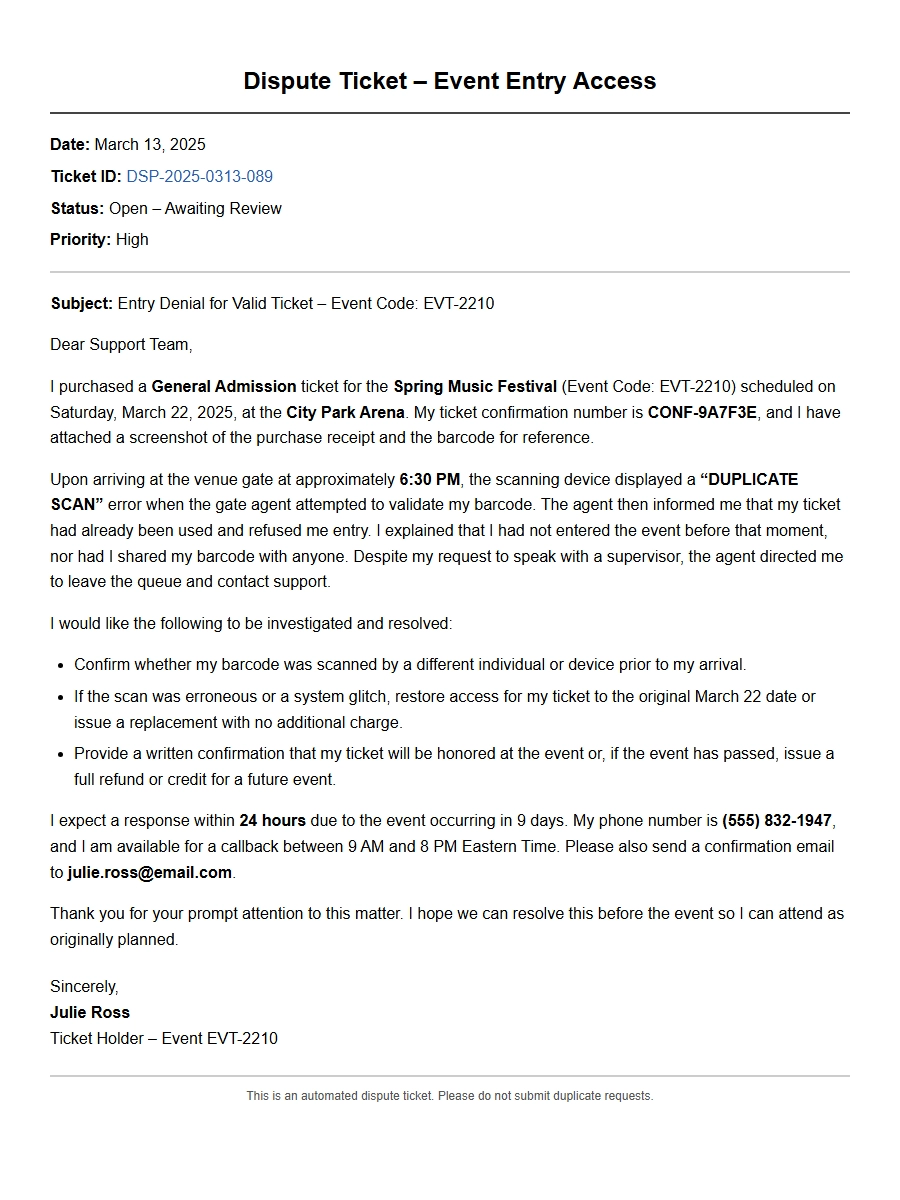
Dispute a Ticketing Error for Event Entry Access
VIP Ticket Relegated to General Admission
Subject: Dispute Over Entry Access – VIP Ticket Treated as General Admission
Order Reference: ORD-78412 Event: Summer Music Festival – Main Stage Date of Event: 2025-06-15
Dear Customer Support,
I purchased a VIP ticket for the Summer Music Festival, yet upon arrival I was refused entry to the VIP section. The scanner at the gate displayed a “General Admission” status, and the attendant insisted my ticket was standard. This error caused me to miss the first two acts while waiting for a supervisor.
My booking details are as follows:
Item
Details
Ticket Type
VIP All-Access Pass
Price Paid
$249.00
Confirmation Email
Sent 2025-05-20 10:32 AM
I request immediate rectification: either a refund of the price difference ($150) or a complimentary upgrade to VIP at the next event. I have attached screenshots of my confirmation and the error message.
Please escalate this issue and respond within 48 hours.
Thank you, Amanda Torres
Barcode Failure at Stadium Entry
Subject: Entry Denied – Barcode Not Recognized
Ticket ID: TIX-99832 Event: City FC vs. United – League Match Gate: East Entrance, Seat 14C
Dear Support Team,
On 2025-06-20 I arrived at the stadium 30 minutes early, but the barcode on my digital ticket failed to scan at three different turnstiles. The attendants attempted manual override, but their system claimed my ticket was “already used.” This is impossible as I had just arrived.
I eventually missed the first half while resolving the issue with a supervisor, who finally let me in after verifying my ID. The experience was frustrating and embarrassing.
Key error details:
Barcode scanned as invalid at 18:45, 18:47, 18:50.
Supervisor confirmed it was a system duplication error on their end.
I was not allowed to use the VIP lounge despite having a premium ticket.
I demand a full refund of the ticket price ($85) plus compensation for the inconvenience. Please confirm the refund resolution.
Best regards, Carlos Rivera
Duplicate Seat Assignment – Two Tickets Sold
Subject: Seating Conflict – My Seat Occupied by Another Patron
I arrived at the theater only to find another person sitting in my assigned seat. The usher scanned both our tickets, which showed identical seat numbers – Row G, Seat 12. This was clearly a duplicate booking error in your system.
Because the show was sold out, the only solution offered was a partial refund and a cramped standing area in the back. I missed the opening number entirely.
Summary of losses:
Item
Cost
Ticket Price
$120.00
Parking Prepaid
$15.00
Program (purchased)
$10.00
I expect a full refund of all costs plus a voucher for a future performance. Please investigate how two tickets were sold for the same seat.
Sincerely, Mia Chen
Wrong Event Date Due to Rescheduling
Subject: Entry Refused – Ticket Valid for Incorrect Date
Order No: ORD-65543 Original Event: Jazz Night at The Lounge – Originally June 10, 2025 Rescheduled Date: June 24, 2025
Dear Management,
I purchased tickets for Jazz Night on June 10, but the event was rescheduled to June 24 due to a venue issue. I did not receive any notification of this change – no email, SMS, or app alert. When I arrived on June 10, I was told my ticket was no longer valid and I could not enter.
I was forced to buy a new ticket at the door (price $45) to attend the show. The original ticket cost $35.
Requests:
Refund the original ticket cost ($35).
Reimburse the duplicate purchase ($45).
Provide a written explanation of how such a communication failure occurred.
I expect a response within three business days. This error caused significant inconvenience and extra expense.
Yours faithfully, David Okafor
Ticket Not Delivered – Missing Email
Subject: Denied Entry – Barcode Not Received
Transaction ID: TXN-78A3B Event: Electronic Dance Festival – Day Pass Purchase Date: 2025-06-01 14:22
Dear Support,
I bought a day pass for the EDM Festival on June 1, but never received the ticket email. I checked spam, promotions, and all inboxes. On the day of the event (June 22), I presented my purchase confirmation (screenshot) and credit card statement at the box office, but they refused entry, stating that only a valid barcode was accepted.
I spent two hours on the phone with your call center, but no resolution was provided. I ultimately missed the entire festival.
Proof of purchase:
Confirmation email from your system – attached.
Bank statement showing charge of $99.99 on June 1.
Screenshot of empty inbox (no ticket).
I am requesting a full refund. It is unacceptable to charge customers and then fail to deliver the product.
I purchased a resale ticket through an official partner platform. Upon scanning at the arena entrance, the system displayed “VOID – TICKET REPORTED STOLEN.” I was escorted out and not allowed inside despite showing the purchase receipt and proof of transfer.
The original seller likely filed a false claim, but I am the innocent consumer. Your policy should protect buyers of verified resale tickets.
Details of the transaction:
Field
Value
Resale Platform
TicketSwap – order #TS-45678
Price Paid
$175.00 (including fees)
Original Ticket Price
$120.00
I demand either a replacement ticket to the next show or a full refund of $175. Additionally, please investigate why such fraudulent tickets are not screened before resale.
Awaiting your urgent action, Jake Morrison
Name Mismatch on Non-Transferable Ticket
Subject: Entry Blocked – Name Did Not Match ID
Booking ID: BK-3321-X Event: Exclusive Art Gala – VIP Preview Original Ticket Holder: Lisa White (my friend)
Dear Support,
I was gifted a ticket to the Art Gala by a friend who could not attend. The ticket was originally issued in her name. At entry, security refused me because my ID did not match. Your policy clearly states tickets are non-transferable, but there was no option to transfer ownership online.
I contacted customer support the day before and was told it “should be fine,” yet on the day I was turned away. I had already traveled two hours to attend.
Issues caused:
Loss of event experience (ticket value $200).
Travel expense incurred ($45 train fare).
Embarrassment in front of guests.
I am requesting a credit of $200 for a future event, or a refund, and a clear process to allow name changes for legitimate transfers in the future.
Best, Emma Forte
Seat Occupied by Another Person – Wrong Allocation
Subject: Seating Error – Found Another Person in My Allotted Seat
Ticket Code: SEA-9843-21 Event: Orchestra Symphony – Hall A, Seat 22 Row: 5
Dear Customer Service,
At the symphony on June 18, I walked to Row 5 Seat 22 only to find someone already seated there. They showed their ticket – also Row 5 Seat 22. An usher checked the system and discovered that my ticket allocated seat 22, but the physical seating chart showed seat 22 was already sold to another patron. The theater had double-booked that seat.
The only option offered was a seat in the back row with obstructed view. I refused but eventually accepted because the concert was starting.
Compensation sought:
Full refund of ticket price ($90).
Voucher for one free ticket to any future event.
An apology letter from the venue manager.
I expect a response within one week or I will escalate to consumer protection authorities.
Sincerely, Raj Patel
Package Ticket Missing Add-On Benefits
Subject: Entry Access but Benefits Denied – VIP Package Incomplete
Order Ref: PACK-1276 Event: Motor Show + Test Drive Experience Package: Premium Discovery Pass
Dear Complaint Department,
I purchased the Premium Discovery Pass for the Motor Show, which included exclusive access to the test drive track, a welcome gift, and a dedicated parking spot. Upon arrival, the scanner let me into the event, but the add-on benefits were not redeemed because my wristband had a code that only granted basic entry.
I was denied the test drive (“your pass is not marked”), and the parking lot attendant charged me $25. The welcome gift station said my name was not on their list.
What I paid for vs. what I received:
Item
Promised
Received
Test Drive Track
Yes
No
Parking Included
Yes
No, charged $25
Welcome Gift
Yes
No
The total package cost was $180, while basic admission was $60. I request a partial refund of $120 to compensate for the missing benefits. Please also investigate the system error that caused this mismatch.
Thank you, Olivia Grant
Event Cancellation Refund – Still Charged Entry
Subject: Charged After Cancellation – Ticket Reactivated for Entry Dispute
Original Order: CAN-2025-441 Event: Comedy Night at The Hub – Cancelled June 12 Refund Status: Processed June 14 (supposedly)
Dear Billing/Support,
I purchased tickets for a comedy show that was cancelled on June 12. Your system automatically initiated a refund to my credit card. However, on June 22, I received a notification that the ticket was “reinstated” and charged again. I did not request this. Worse, when I contacted support, they said the event had been resold and I could use the ticket for a new date I never agreed to.
On the new date (June 28) I went to the venue only to be told my ticket was “voided due to refund” and I was denied entry. Yet my card shows a second charge of $55.
Chronology of errors:
June 12: Event cancelled; refund promised.
June 14: Refund shown as pending.
June 22: New charge appears ($55).
June 28: Denied entry at venue.
I demand an immediate reversal of the second charge, confirmation that the ticket is fully refunded, and compensation of $25 for travel wasted.
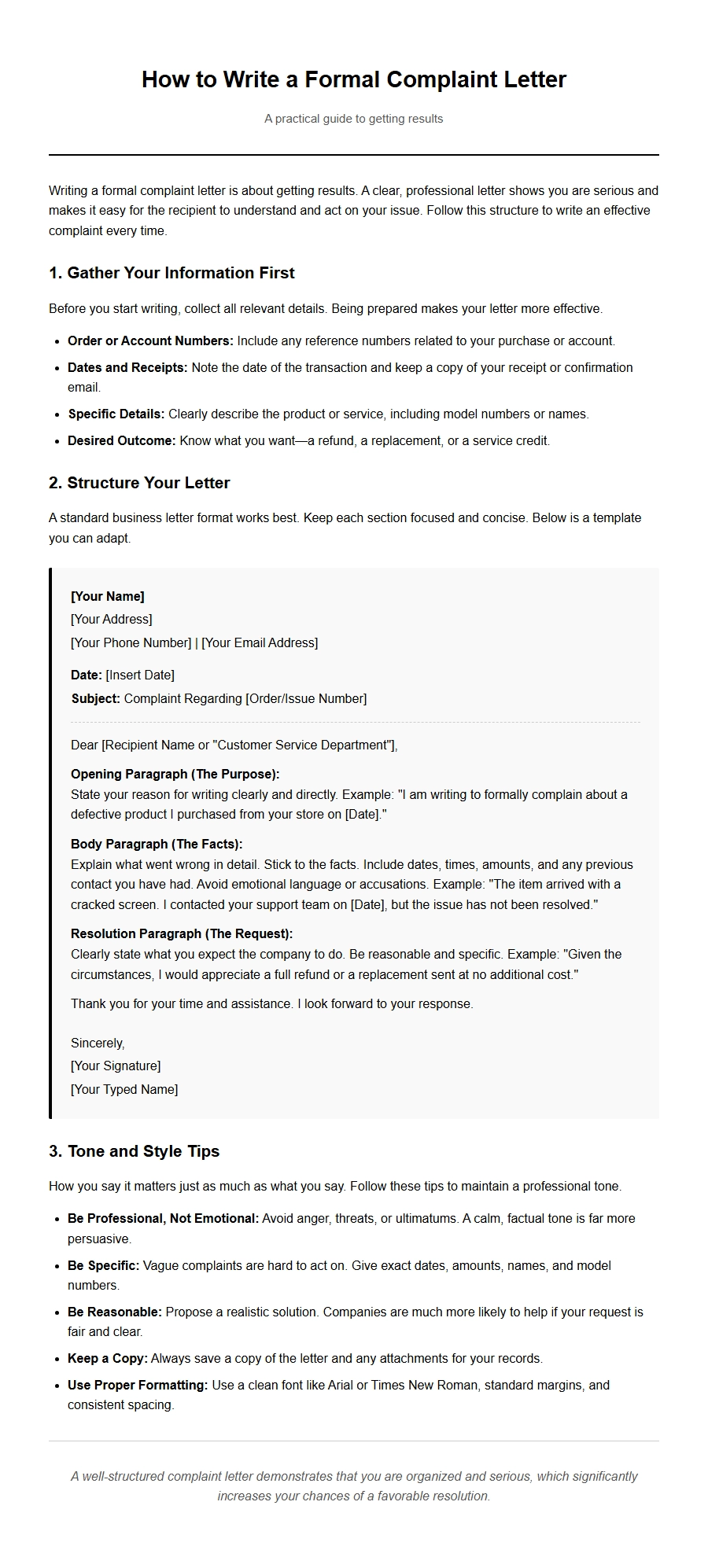 How to Write a Formal Complaint Letter
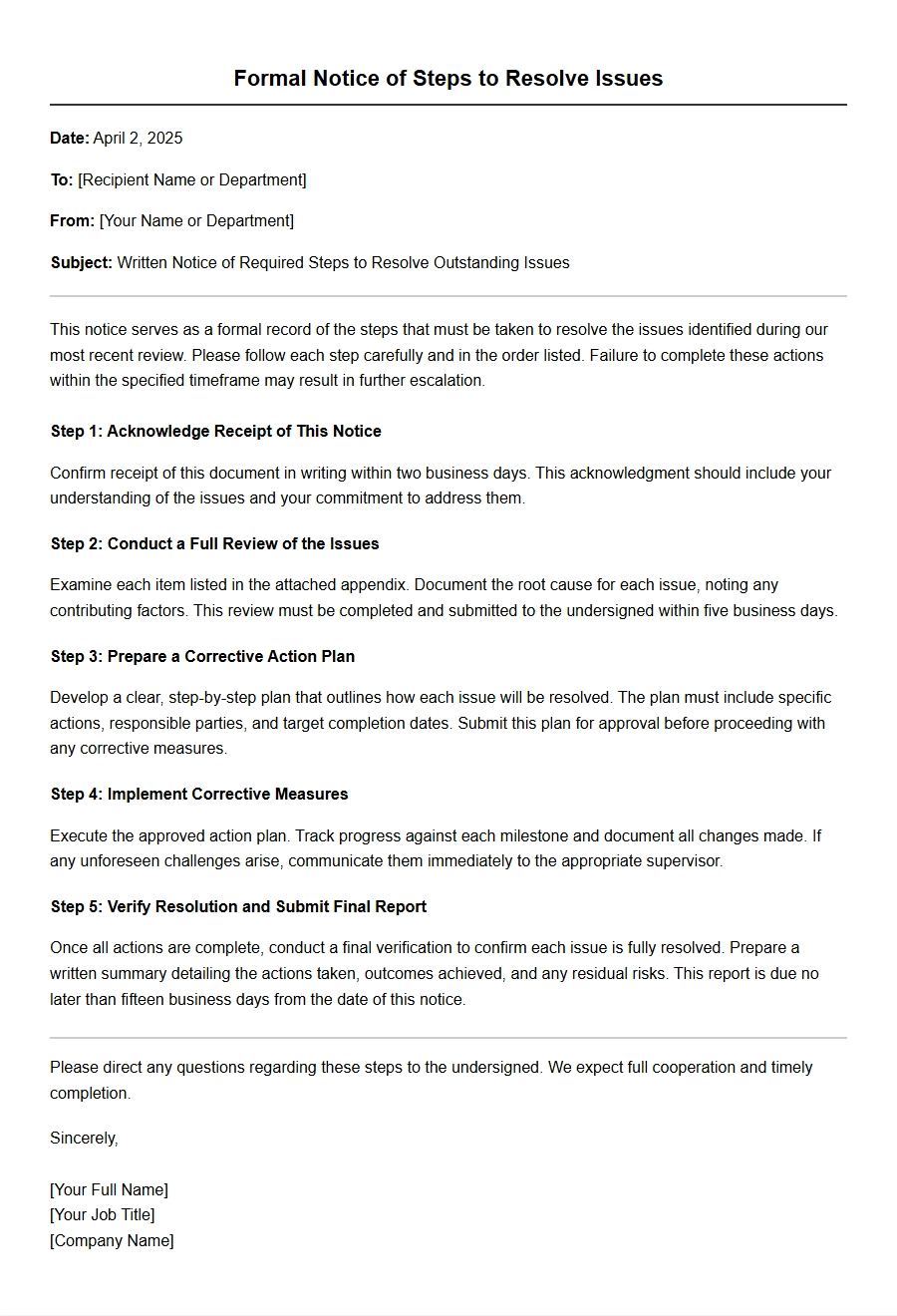 Steps to Resolve Issues via Written Notice
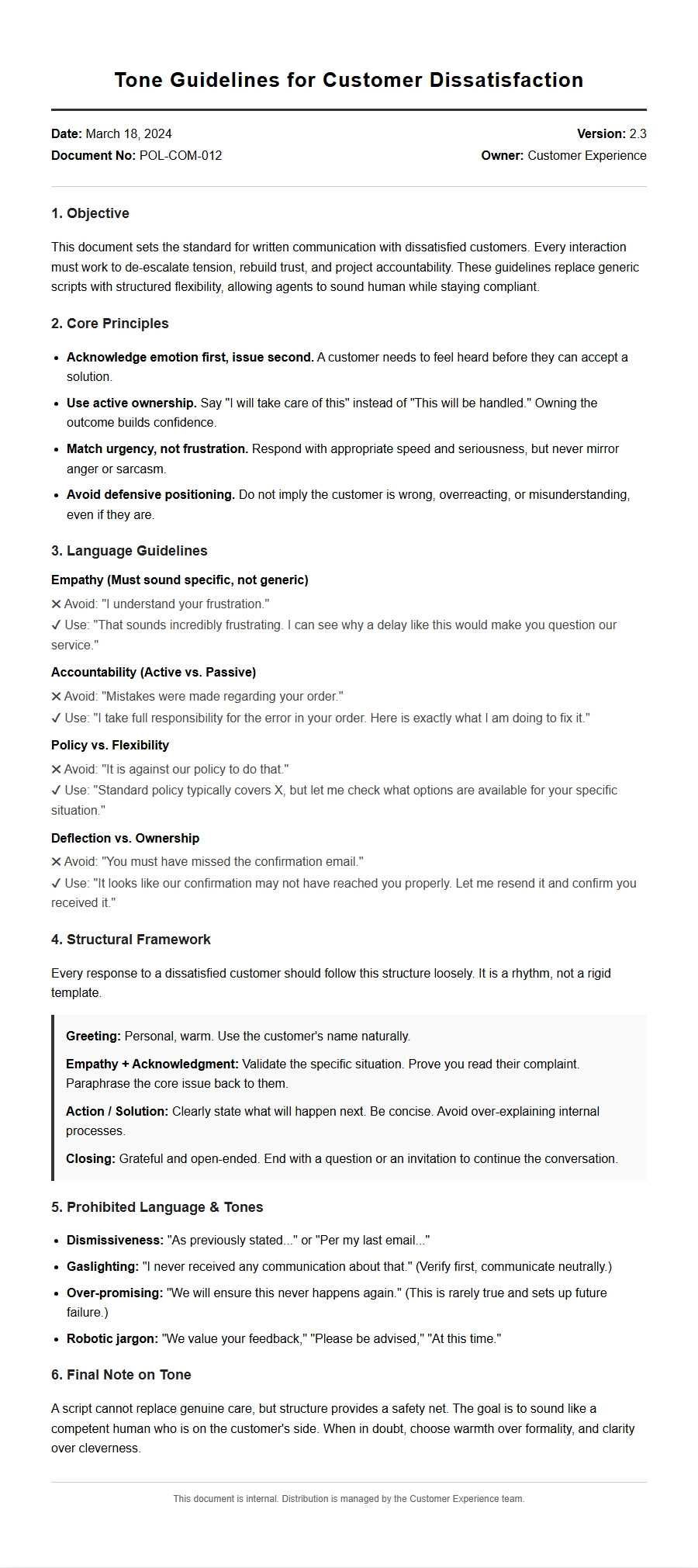 Tone Guidelines for Dissatisfied Customer Letters
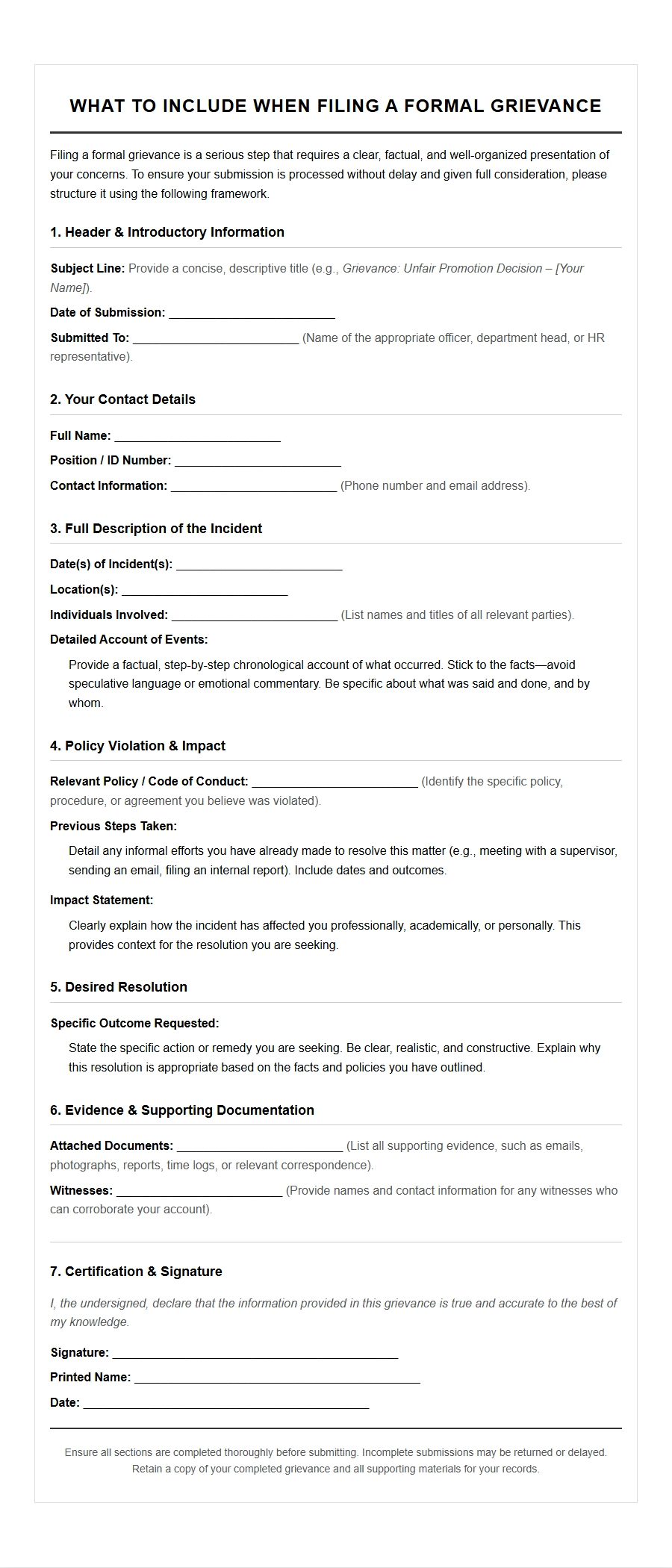 What to Include in a Formal Grievance Letter
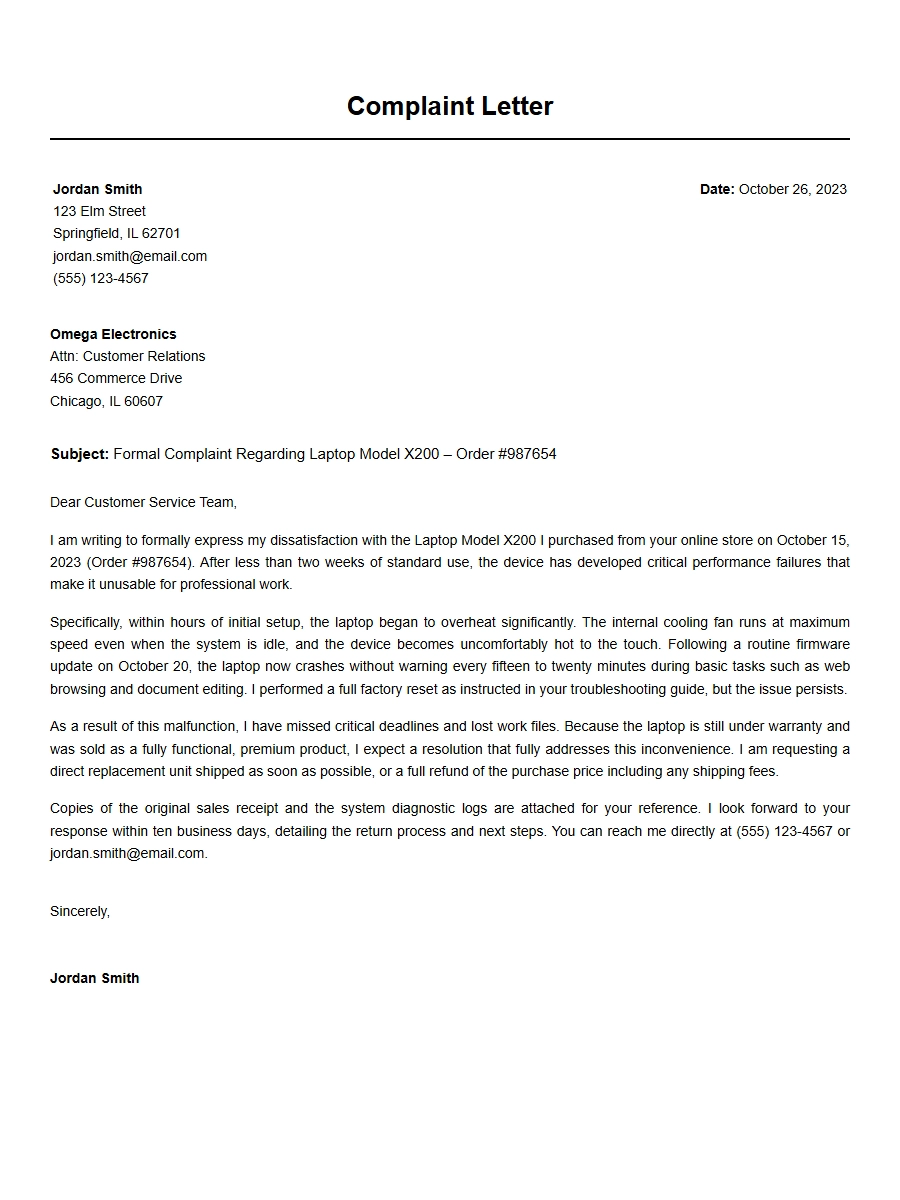 Structure of an Effective Complaint Letter
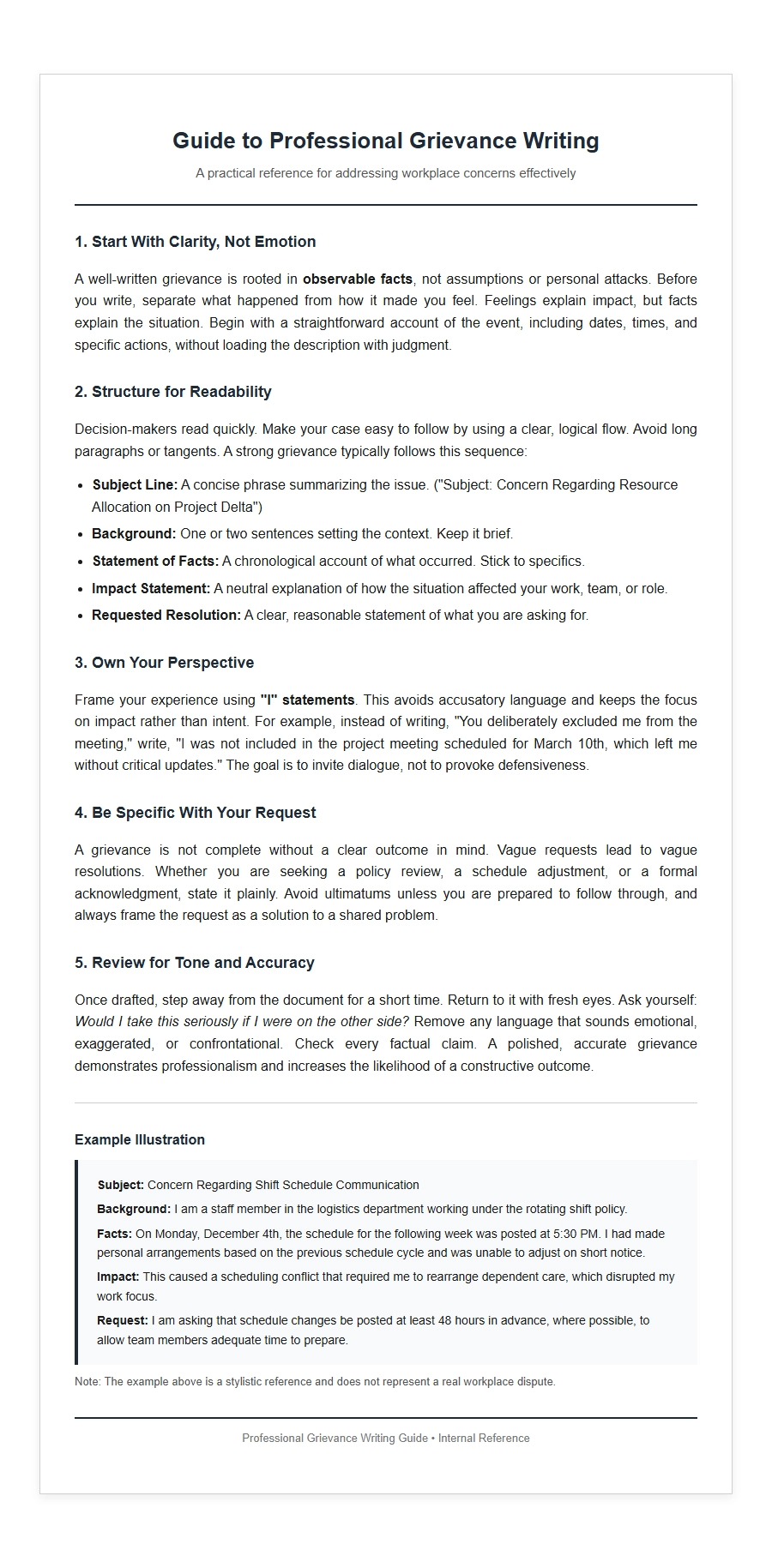 Best Practices for Writing Professional Grievance Letters