You’ve got a domain locked, a transfer pending, and you’re trying to explain when it will actually move. That blank email or ticket form can stall everything. A good statement for domain name transfer hold cuts through the confusion—it tells the registrar, the buyer, or your own team exactly what’s happening and what comes next.
What is a domain name transfer hold statement?
A transfer hold is a temporary block that prevents a domain from moving to another registrar. It happens for a few reasons. Maybe the domain was registered or transferred within the last 60 days. Maybe there’s an unpaid bill or a dispute. A transfer hold statement is the short explanation you write to clarify the situation. Think of it as a professional heads-up. You’re not arguing—you’re just stating the facts so nobody panics.
For example, if you just bought the domain and need to wait out the 60-day lock, your statement might say: “This domain is currently in a 60-day transfer lock per ICANN policy following a recent registration. The lock will lift on [date], at which point a transfer can proceed.” Simple, clear, and it saves you from back-and-forth emails.
When you’ll need to write one
You’ll most often need a transfer hold statement when you’re selling a domain and the buyer is ready to move it to their registrar. They see the hold and assume something is wrong. Your statement reassures them it’s standard. You might also need it for internal records—like documenting why a transfer was delayed in your own account log.
Another common scenario: a client asks you to transfer a domain you manage for them. You can’t. So you write a quick statement explaining the hold, the reason, and the estimated release date. This builds trust. It shows you know what you’re doing and you’re not just making excuses.
How to write one that actually works
Start with the most important detail: the reason for the hold. Be honest and specific. If it’s the 60-day lock, say that. If there’s a fraud prevention hold, explain that too. Then give a clear timeline. “The hold will be removed on [date].” If you don’t know the exact date, say “approximately [date]” or “within 72 hours of resolving [issue].”
Keep the tone neutral and professional. You don’t need to apologize. A domain transfer hold is normal. Your job is simply to document it. Use a standard business letter format if you’re sending it as a formal note. If it’s an email, a short paragraph with a subject line like “Transfer hold update for [domain]” works fine.
One common mistake: using outdated salutations like “To Whom It May Concern.” It feels impersonal and dated. Use “Hi [Name]” or “Hello [Support Team]” instead. Another mistake is ignoring the digital format. If you’re pasting your statement into a support ticket, keep it plain text. No fancy fonts, no letterhead. Just clean sentences.
Avoid vague phrases like “due to circumstances beyond our control.” That sounds evasive. Instead, say “the domain was registered on [date], which triggered the mandatory 60-day lock.” Transparency beats corporate-speak every time.
Tailoring the statement to your situation
Not all holds are the same. A dispute hold needs a different tone than a routine grace-period hold. If you’re dealing with a legal issue or a claim, your statement might need to reference specific policies. For instance, if someone filed a domain dispute, you might write: “This domain is under a UDRP proceeding, and the transfer hold will remain until the case is resolved. We will update you on [date].”
If you’re writing for a buyer you’ve sold the domain to, keep it reassuring. Something like: “The transfer hold is temporary. I’ll initiate the transfer as soon as the lock expires on [date]. Here’s a screenshot of the status page for your reference.” That extra step—showing proof—builds trust fast.
Before you send your statement, read it out loud. Does it sound like something you’d actually say? If it feels stiff, rewrite it. A transfer hold statement isn’t a legal document—it’s a communication tool. Let it sound like you.
Check for typos too. A small misspelling in the domain name or date is embarrassing and confusing. Proofread once for content, then once for spelling and grammar. If it’s a formal letter, send it as a PDF with your letterhead design at the top. If it’s an email, a clean signature block is enough.
Also, watch your closing. “Sincerely” works for formal letters. “Best regards” is fine for email. If you’re writing to a colleague or someone you know, “Thanks” is perfectly okay. Just match the tone to the relationship.
If the hold involves intellectual property concerns, you might find useful phrasing in email for intellectual property rights claim apology letters. That context overlaps with domain disputes and can give you a clearer way to reference legal holds without sounding defensive.
How to use a sample without losing your voice
A letter template for transfer holds is a great starting point. It gives you the structure and the key phrases. But don’t just copy-paste. Change the specific details—your domain name, the exact hold reason, the timeline. Add your own tone. If you write casually in your other business emails, keep that same voice here.
The best samples feel like a skeleton. You flesh it out with your situation. If the sample says “This domain is locked due to recent registration,” and you registered it six months ago, change it to “This domain is locked due to a fraud prevention hold.” Tailor every sentence to fit your reality.
And don’t be afraid to adjust the salutation and closing. A sample might use “Dear Sir or Madam.” You can change that to “Hi [Name]” if it fits your relationship. The structure stays solid, but the personality becomes yours.
If you’re dealing with a bug or technical issue causing the hold, check update for software bug fix release apology letters for wording that explains technical delays without blaming anyone. That can soften the message if the hold is due to a registrar error.
Common pitfalls to dodge
One big mistake: making the statement too long. Nobody needs a backstory about why you bought the domain or how the sale came together. Stick to the hold reason, the duration, and what happens next. Three or four sentences is plenty for most situations.
Another mistake: being too formal in an informal setting. If you’re sending a quick DM to a buyer on a platform like Afternic, don’t write a full-page letter. A short, friendly note works better. “Hey, the domain is in a 60-day lock until Feb 12. I’ll start the transfer then. Let me know if you have questions.”
Also, avoid promising more than you can deliver. Don’t say “I will initiate the transfer immediately” if you know the hold lasts another month. Be realistic. Under-promise and over-deliver, especially with time-sensitive processes like domain transfers.
If your hold relates to a letter for open source contribution guidelines apology letters scenario—like a domain used for a community project—mention the project context in your statement. That helps the reader understand the bigger picture and why the hold exists.
Your next step
Now that you know what a domain transfer hold statement looks like, write one for your current situation. Keep it short. Be specific. Use your real voice. And don’t overthink it. A clear, honest statement saves everyone time and frustration.
If you’re unsure about the format, start with a simple paragraph. Add your contact info. Send it. You can always revise it later if needed. The important thing is to communicate, not to craft a masterpiece.
And if you happen to need a letter for ride share accident liability apology letters style of formal explanation—clear, direct, and accountability-focused—you can borrow that tone too. The core principle is the same: explain the hold, state the facts, and set clear expectations.
Samples You Can Use
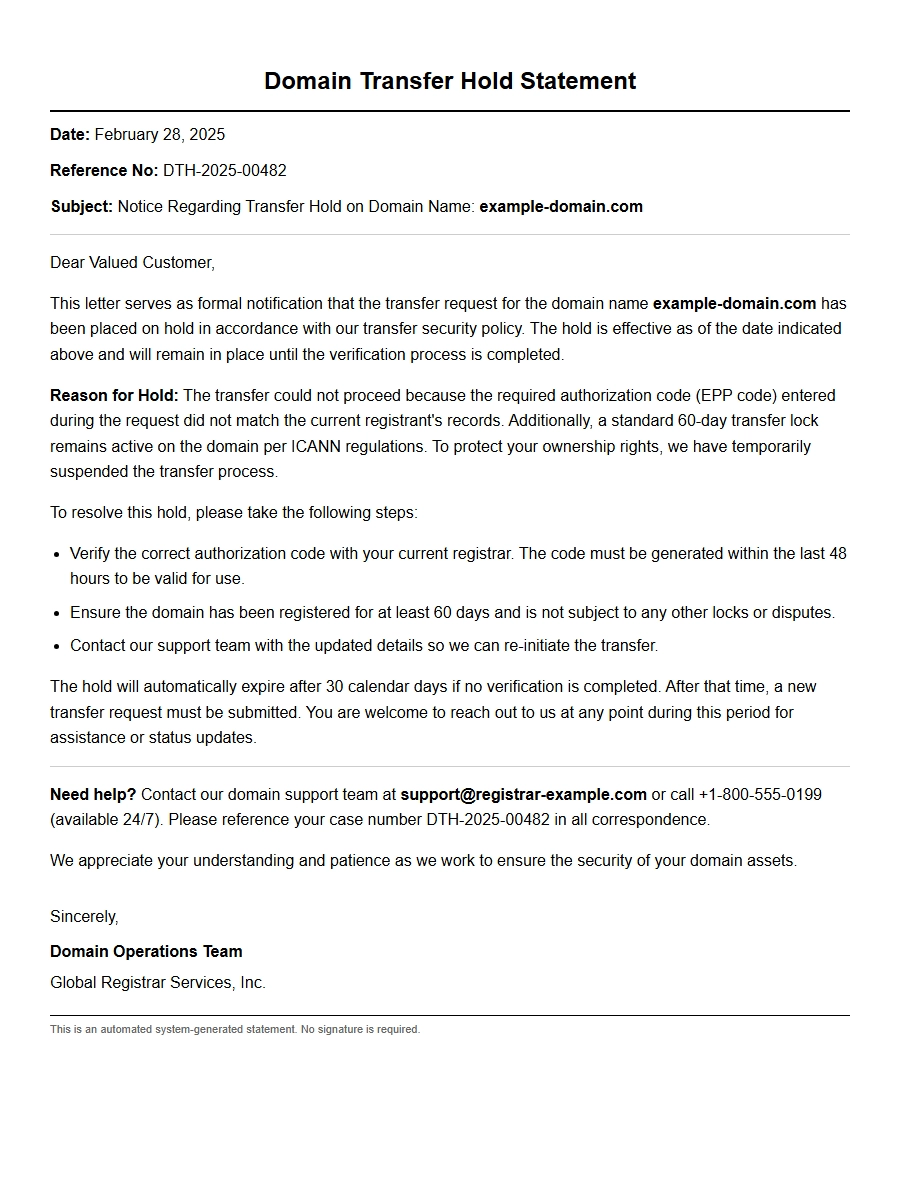
Apology for the Domain Transfer Hold Statement
Incorrect Authorization Code
Subject: Apology for Domain Transfer Hold – Invalid Auth Code
Date: 2025-03-15
Case ID: TRN-4521
Domain: example.com
Dear Valued Customer,
We sincerely apologize for the hold placed on your domain transfer request for example.com. Our records show that the transfer was paused because the authorization code (EPP code) you provided did not match the one on file with the current registrar.
Field
Details
Domain
example.com
Auth Code Provided
********
Hold Reason
Invalid Auth Code
Status
Hold (Pending Correction)
To resolve this, please obtain the correct authorization code from your current registrar and provide it to us via your account dashboard or reply to this email. Once the valid code is received, we will immediately resume the transfer process. We regret any inconvenience caused and appreciate your understanding.
Thank you for your patience.
Registrar Lock Active
Subject: Apology – Domain Transfer Hold Due to Registrar Lock
Date: 2025-03-15
Case ID: TRN-4873
Domain: mybrand.org
Dear Customer,
We apologize for the delay in processing your domain transfer for mybrand.org. The transfer was placed on hold because the domain is currently locked at the losing registrar. Most registrars apply a transfer lock by default to prevent unauthorized transfers.
Domain: mybrand.org
Hold Reason: RegistrarLock (clientTransferProhibited)
Action Required: Disable the lock in your current registrar’s control panel
Once you unlock the domain, the transfer will proceed automatically within 24–48 hours. Please ensure you have also obtained the correct authorization code. If you need assistance locating the lock settings, reply to this note and we will guide you step by step. We regret the inconvenience and thank you for your cooperation.
Pending ICANN Verification
Subject: Apology – Transfer Hold for Domain Pending ICANN Validation
Date: 2025-03-15
Case ID: ICANN-8821
Domain: secure.co
Dear Customer,
We regret to inform you that the transfer of secure.co has been temporarily placed on hold. This is due to a pending ICANN verification process for the registrant contact email address. Under ICANN rules, any change to the registrant’s email address within 60 days of a transfer request triggers a verification requirement.
Item
Status
Domain
secure.co
Hold Reason
ICANN Email Verification
Verification Email Sent To
admin@example.com
Expected Resolution
Within 48 hours of clicking the verification link
Please check the inbox (and spam folder) of the registered email address and click the verification link sent by our system. Once confirmed, the hold will be automatically lifted and the transfer will continue. We apologize for any disruption this may cause.
Domain Expired During Transfer
Subject: Apology – Transfer Hold Because Domain Expired
Date: 2025-03-15
Case ID: EXP-3352
Domain: oldsite.net
Dear Customer,
We are sorry to inform you that the transfer of oldsite.net has been placed on hold because the domain’s registration expired during the transfer process. Unfortunately, domains cannot be transferred while in the expired or redemption period.
Domain: oldsite.net
Expiration Date: 2025-03-10
Current Status: Expired (Grace Period)
Action Needed: Renew the domain with the current registrar
Please renew the domain immediately through your current registrar. After renewal, please wait 24–48 hours for the domain to become active again before resubmitting the transfer request. We apologize for the oversight and will remove any associated fees for the next transfer attempt. Thank you for your understanding.
Transfer Dispute Filed
Subject: Apology – Domain Transfer Hold Due to Dispute
Date: 2025-03-15
Case ID: DISP-9064
Domain: disputedsite.org
Dear Customer,
We regret to inform you that the transfer of disputedsite.org has been put on hold because a dispute was filed regarding the ownership of the domain. As per ICANN guidelines, we are required to pause all transfer activities until the dispute is resolved.
Detail
Information
Domain
disputedsite.org
Dispute Filed By
admin@otherdomain.com
Hold Reason
Dispute Pending Resolution
Case Reference
DRP-1254
We apologize for this inconvenience. Our support team is in contact with both parties and the dispute resolution provider. We will notify you as soon as the hold is lifted. If you believe this dispute is in error, please reply with any supporting evidence.
Technical System Error
Subject: Apology – Transfer Hold Caused by System Glitch
Date: 2025-03-15
Case ID: TECH-7012
Domain: siteonline.com
Dear Customer,
We sincerely apologize for the unexpected hold on your domain transfer for siteonline.com. Our technical team has identified that the delay was caused by a transient system error during the communication with the registry. This was not related to your domain settings.
Domain: siteonline.com
Error Type: EPP connection timeout at registry
Resolution: Manually retriggered transfer
Current Status: Hold lifted – transfer pending completion
We have resolved the glitch and the transfer is now proceeding normally. You should see your domain active in your account within the next few hours. As a gesture of apology, we have waived any transfer fees associated with this transaction. We regret the inconvenience and thank you for your patience.
Missing Contact Information
Subject: Apology – Transfer Hold Due to Incomplete Contact Details
Date: 2025-03-15
Case ID: CONT-6623
Domain: mydomain.info
Dear Customer,
We apologize for the hold placed on your transfer request for mydomain.info. Our system flagged that the registrant contact information required for the transfer is incomplete or invalid. ICANN requires accurate contact details for all domain transfers.
Required Field
Current Value
Registrant Name
(missing)
Registrant Email
(invalid format)
Registrant Phone
(missing)
Please update your contact information in your account under the “User Profile” section. Once all fields are filled correctly, the hold will be removed automatically and the transfer will continue. If you need assistance, our support team is ready to help. We regret any inconvenience this may cause.
Transfer Denied by Current Registrar
Subject: Apology – Transfer Hold After Registrar Rejection
Date: 2025-03-15
Case ID: TRN-5519
Domain: mybusiness.id
Dear Customer,
We regret to inform you that the transfer of mybusiness.id has been placed on hold because the current registrar denied the transfer request. This can happen if the domain is within the 60-day change-of-registrant lock, or if the losing registrar believes the transfer is unauthorized.
Domain: mybusiness.id
Denial Reason: “Transfer not authorized by registrant” (provided by losing registrar)
Action Required: Contact the current registrar to confirm authorization
Please reach out to the registrar where the domain is currently registered and request that they approve the transfer. Alternatively, you can unlock the domain and provide us with a new authorization code. We apologize for the extra steps and will expedite the process once the hold is cleared.
Privacy Service Interference
Subject: Apology – Transfer Hold Due to Active Privacy Shield
Date: 2025-03-15
Case ID: PRIV-2310
Domain: privatesite.cc
Dear Customer,
We apologize for the hold on your domain transfer for privatesite.cc. The transfer could not proceed because the domain is enrolled in a registrar privacy service that obscures the real registrant email. Transfer requests require the actual email to receive authorization messages.
Item
Status
Domain
privatesite.cc
Privacy Service Provider
WhoisGuard (by current registrar)
Hold Reason
Privacy shield blocking transfer email
To resolve this, please disable the privacy service for this domain in your current registrar’s dashboard. Once the WHOIS data is public, the transfer authorization emails will reach you and the hold will be lifted. After that, you can re-enable privacy at our registrar if you wish. We apologize for this extra step and appreciate your understanding.
Customer-Initiated Hold
Subject: Apology – Transfer Hold per Your Request
Date: 2025-03-15
Case ID: CUST-4711
Domain: mynewdomain.com
Dear Customer,
We acknowledge your recent request to place the domain transfer of mynewdomain.com on hold, and we have done so accordingly. We apologize for any confusion this may have caused—our support team reviewed your note and acted immediately.
Domain: mynewdomain.com
Hold Initiated By: Customer (via support ticket #CUST-4711)
Hold Reason: “Need to verify ownership documents first”
Duration: 7 days (until 2025-03-22)
During this hold period, no transfer progress will occur. When you are ready to proceed, simply reply to this email or unlock the hold from your control panel. We apologize for any earlier miscommunication; our goal is to ensure a smooth, secure transfer at your pace. Please let us know if you need further assistance.
 Personal Apology Letter for Boyfriend Relationship Strain
 Apology Correspondence for Parent-Child Disagreements
 Apology Message for Girlfriend After Argument
 note for friend stealing item - Apology Letters
 Apology to Boss for Micromanagement Complaint
 Apology Document for Vendor Supply Chain Issue